
One workspace for your PDFs, handwritten notes, practice and focus
Instead of juggling separate apps for PDF reading, Apple Pencil note-taking, flashcards, quizzes and phone blocking, Studey connects every step around the exact same source material.
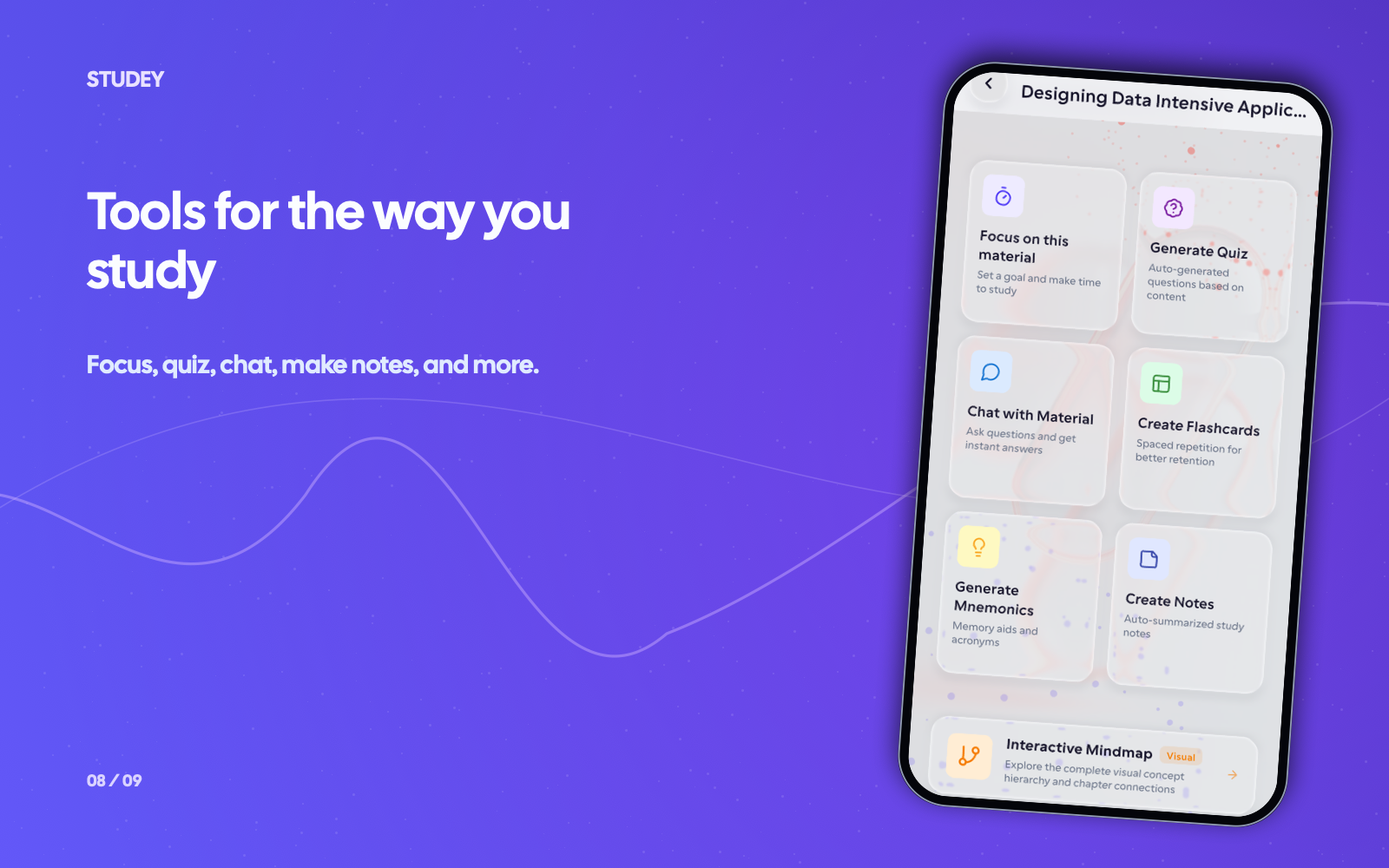
Switch between reading, cited explanations, active recall and Focus
Upload a PDF, Word document or PowerPoint slide deck—or publish a reviewed notebook—and open its Material Action menu. From one screen you can read the original PDF, follow the generated Chapter Roadmap, ask cited questions, drill flashcards and mnemonics, explore the mind map or launch a linked Focus timer.
Plan & availability: Start free on Basic ($0) with up to 5 lifetime material uploads, PDF reading, Focus timers and preview practice sets. Upgrade to Studey Pro ($3.99/wk, $9.99/mo or $79.99/yr) for full access.
- Unified material workspace for PDFs, DOCX, PPTX, Markdown and authored notebooks
- Built-in PDF reader with page bookmarks and one-tap citation page jumps
- Connected Study Roadmap, Flashcards, Quiz, Memory Aids, Mind Map and AI Chat
- Material-linked Focus timer with app blocking and printable QR lock
How learning tools works in Studey
1. Add a file or write a notebook
Upload a PDF, slide deck or document (up to 5,000 pages processed in bounded batches), or write a stylus/typed notebook in Studey.
2. Open the Material Action hub
Once processing completes, choose Study Guide, AI Companion, Flashcards, Quiz, Memory Aids or Mind Map—all grounded in that same source.
3. Protect your review session with Focus
Start a Focus timer linked to your material and review your missed cards and completed minutes in Progress.
Questions about learning tools
- Who is Studey for?
- You can use Studey for class notes, university readings, work documents or a personal interest. Start with your own materials or choose a topic for a short course.
- What file formats can Studey process?
- Studey’s document extractor supports PDFs (including scanned pages via OCR), Word documents (DOCX), PowerPoint presentations (PPTX), Markdown, TXT and RTF files, as well as notebooks authored directly in the app.
- Does Studey replace classes, books, or hands-on learning?
- No. Studey can help you organize and practise ideas, but it does not replace deeper reading, hands-on experience, or expert guidance when you need it.
- How can I use AI tools without becoming dependent on them?
- Try to explain or recall an idea before asking for help. Then use the cited explanation to check your understanding and return to the source. Keep some practice independent so you can see what you know without AI assistance.