
Use your own handwritten or typed notes to study with AI
Write with an Apple Pencil or stylus—with finger scrolling kept separate from ink—or type structured sections in Studey. Confirm your handwriting transcript before publishing it as study material, then ask cited questions and generate practice from that verified snapshot.
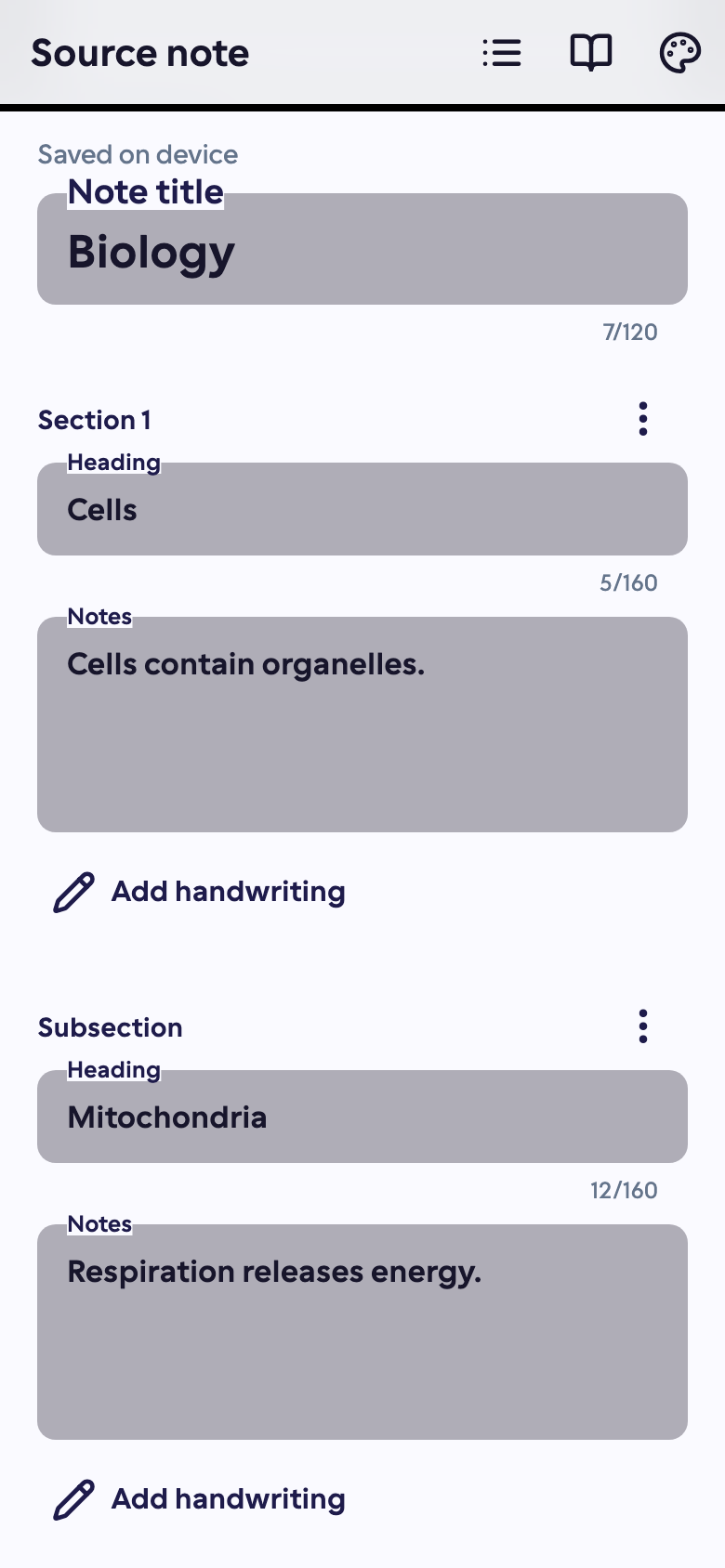
From editable notebook to version-tracked study material
Your local notebook stays editable while published snapshots power your study tools.
- 1
Write and organize in sections
Add a title, sections and subsections. Handwrite with an Apple Pencil or stylus across four themes (Studey, Mocha, Nord Dark, Nord Light) or enter typed text.
- 2
Check and confirm the transcript
Request online handwriting recognition or type a transcript yourself. Check every ink-bearing section—especially formulas and symbols—and confirm the text is accurate.
- 3
Publish, process and track revisions
Confirm the cloud upload to create an immutable Markdown study material. Studey tracks the SHA-256 revision of your published note so you are notified whenever newer notebook edits haven't been processed yet.
Worked example
From source material to study outputs
Illustrative walkthrough showing how a single passage or topic flows into Studey’s study tools.
Handwritten Section 2.1 — Macroeconomics Lecture (Apple Pencil ink → confirmed transcript)
“Real GDP = Nominal GDP ÷ (GDP Deflator / 100). When inflation rises faster than nominal output grows, real purchasing power falls even if nominal figures look higher.”
In the app, your original source stays open alongside generated study tools so you can verify terms, formulas and conditions.
Topic study note & citation
Section 2.1 explains how the GDP deflator strips price-level inflation from nominal output [1]. Always check whether output growth is nominal or inflation-adjusted.
Generated flashcard
Front: If Nominal GDP is $220B and the GDP Deflator is 110, what is Real GDP? → Back: $200B ($220B ÷ (110 / 100)).
Practice quiz question
Why can Nominal GDP rise while Real GDP falls? Answer: Price-level inflation (measured by the deflator) increased faster than physical output.
Revision tracking status
Published revision matches current notebook. Adding new handwritten ink flags 'Latest edits not processed' until you publish an updated material.
Examples of what you can study
Use your course readings, work guides or personal notes. Here are a few examples.
Review a handwritten lecture
Organize stylus or Apple Pencil lecture notes into sections, confirm the transcription of equations and ask the AI companion about the reviewed text.
Study your own synthesis
Write a concept in your own words, then generate flashcards and quizzes to see which details you can retrieve without looking.
Tools you can use with this source
Ask the tutor for an explanation or choose a tool to review what you’ve learned.
Note taking
Handwrite with an Apple Pencil or stylus, or type structured notes in Studey. Confirm handwriting transcripts and turn published versions into cited AI explanations, flashcards and quizzes.
Explore featureAI companion
Ask questions about your processed notes, PDFs, slides and documents. Verify answers with inline numbered citations, verbatim source excerpts and one-tap PDF page jumps.
Explore featureFlashcards
Create flashcards from reviewed notes, PDFs, slides and documents. Answer before flipping, self-grade recall and launch targeted rounds for missed cards.
Explore featureQuiz generator
Generate practice quizzes from reviewed notes, PDFs, slides and documents. Choose Easy, Moderate or Hard difficulty, question counts, timers and detailed answer explanations.
Explore featureQuestions about handwritten & typed notes
- Can AI read all of my handwriting correctly?
- No. Recognition can miss words, symbols and equations. Review and correct the transcript before creating study material. A diagram is not automatically a verified text explanation.
- Where are my notebooks saved?
- The editable notebook is saved locally on your device. You confirm a separate cloud upload when creating study material. Keep a copy of important notes; device loss or app data removal can remove local notebooks.
- What happens if I edit my notebook after generating flashcards?
- Studey compares your notebook’s content revision against the published material and shows a notice when newer edits exist. Create and process an updated material when you want new resources.
Try the learning journey.
Take a sample quiz, flip a flashcard or try the simulated tutor chat.