
Work through the problem you’re stuck on.
Type your question or attach a cropped photo of the problem. Confirm any ambiguous symbols or measurements before solving, then work through the written steps and visual stages. Homework Helper is currently in private testing; it is not open to everyone yet.
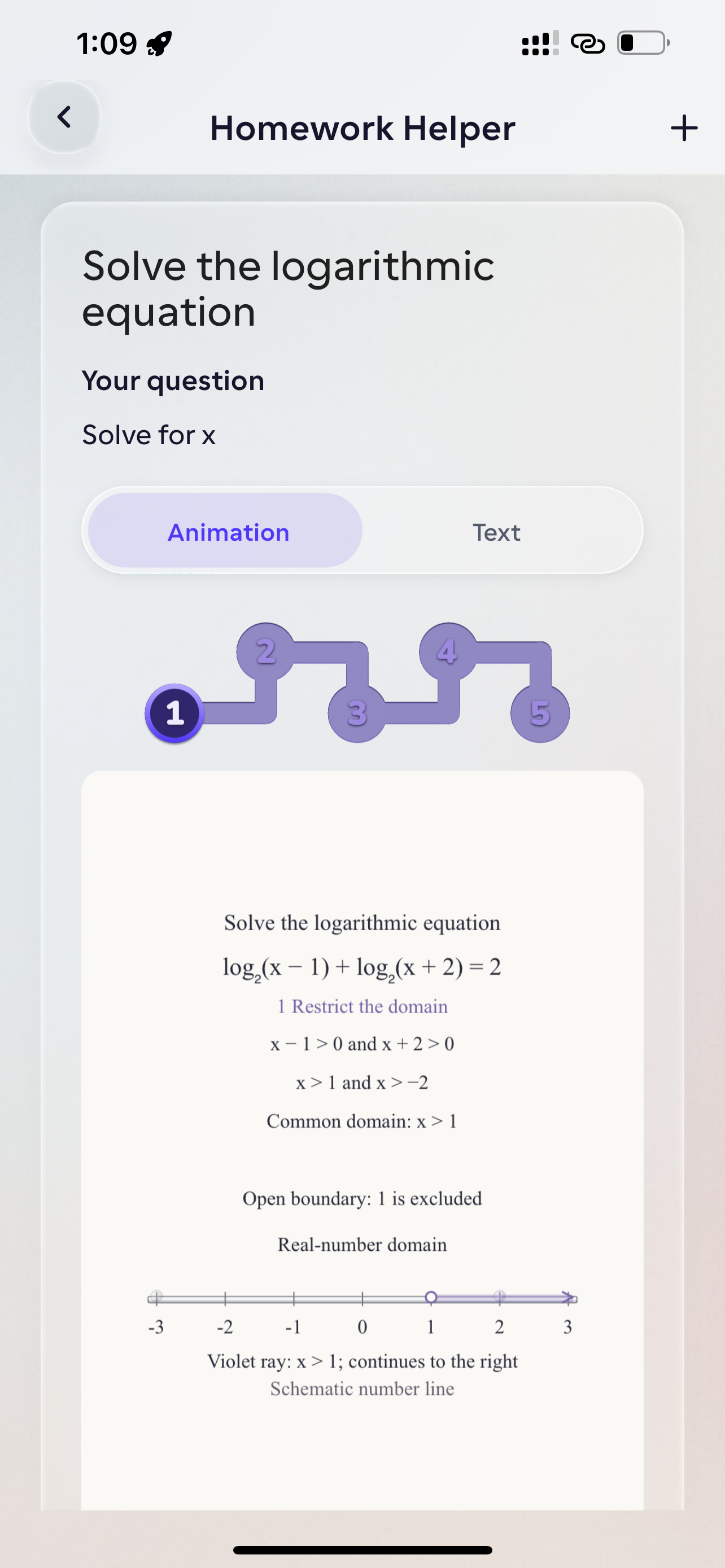
Confirm the problem before reading the solution
A blurry photo or missing unit can change a math or science problem completely. When Homework Helper detects an ambiguous detail, it pauses to ask for confirmation before generating a solution. You can then review the written LaTeX steps alongside an interactive staged diagram when available, and check the reasoning against your course material.
Plan & availability: Homework Helper is currently in a restricted private pilot for testing accounts. Joining the website waitlist does not grant immediate pilot access.
- Typed questions with optional built-in photo cropping for problem images
- Multi-turn clarification check before solving ambiguous equations or diagrams
- Dual solution views: step-by-step LaTeX math text and staged visual diagrams
- Saved problem history so you can revisit worked steps before an exam
How homework helper works in Studey
1. Type the question or crop a photo
Enter the problem text or snap a photo and crop tightly around the relevant question, diagram and given measurements.
2. Confirm extracted symbols and conditions
If handwriting or image compression makes an exponent, sign or unit ambiguous, confirm or edit the interpreted problem before continuing.
3. Step through the explanation and verify
Read the structured mathematical or conceptual steps, replay visual stages when available and substitute the result back into the original equation to verify.
Questions about homework helper
- Is Homework Helper available to everyone?
- Not yet. The feature is in a private pilot with restricted account access. Joining the launch waitlist does not grant immediate access or guarantee a release date.
- Can I ask about a photo of my homework?
- The pilot accepts a typed question and an optional image. Crop the image to the problem and include any instructions or measurements. You may be asked to confirm details before a solution is generated.
- Are homework answers always correct?
- No. AI can misread an image or make a reasoning mistake. Check the measurements, assumptions and steps. Use the explanation to practise, and follow your school’s rules on AI assistance.