
Write your notes with a stylus or keyboard. Study from them.
Take handwritten or typed notes inside Studey with sections, subsections and four reading themes (Studey, Mocha, Nord Dark and Nord Light). Finger scrolling stays separate from stylus ink by default so you never draw accidentally while reading.
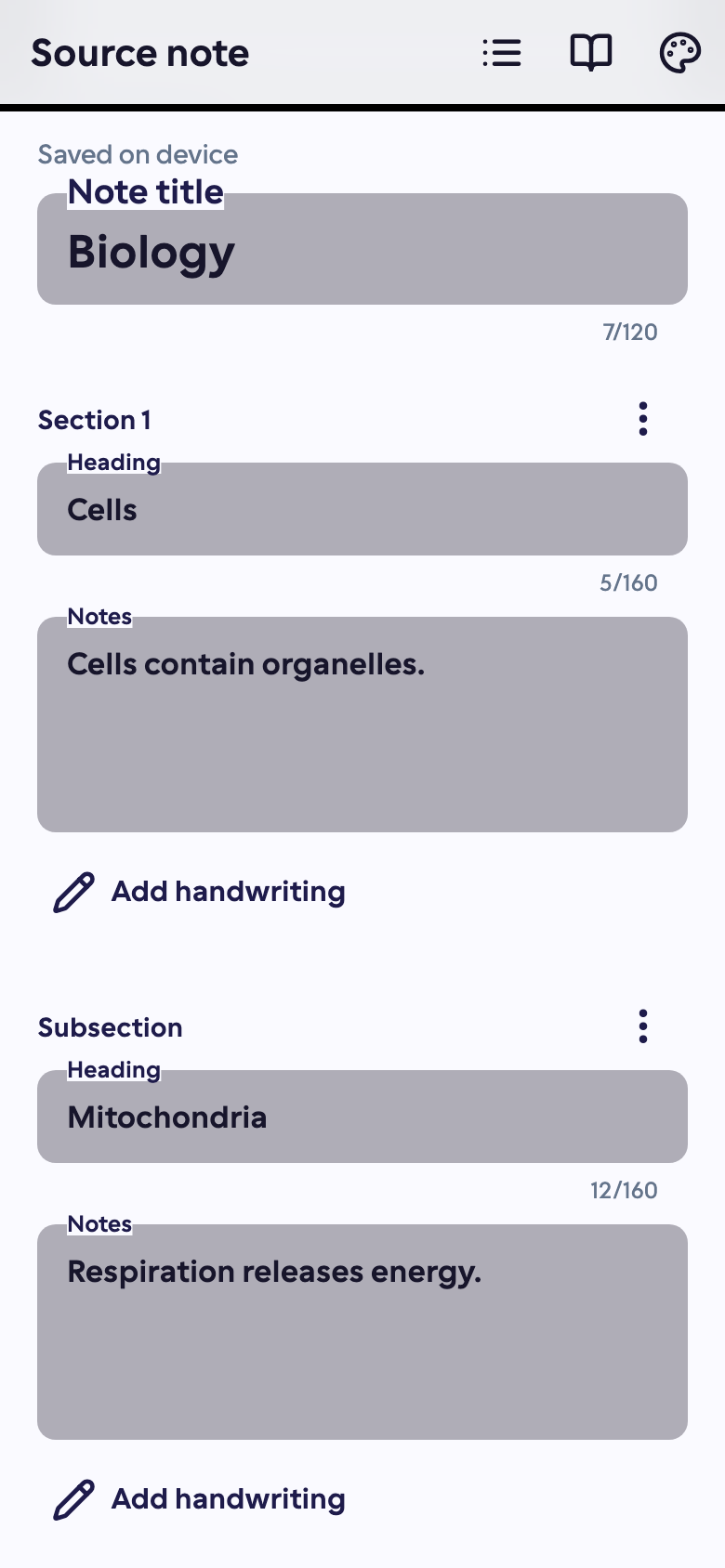
From your editable notebook to version-tracked study material
Write with an Apple Pencil, stylus or keyboard. For handwritten sections, request online vision transcription and confirm the text against your original ink before creating a study material. Your editable notebook and its published study version stay distinct: Studey tracks revision hashes so you always know when newer notebook edits have not yet been processed into your flashcards or quizzes.
Plan & availability: Authored notebooks and full note-to-study-material publishing are included with Studey Pro. Basic users can upload up to 5 lifetime study materials and preview core practice tools.
- Pressure-sensitive stylus & Apple Pencil ink with finger-scroll separation
- Sections, subsections and 4 themes (Studey, Mocha, Nord Dark, Nord Light)
- Side-by-side handwriting transcript review before publishing study material
- Revision tracking flags when flashcards or quizzes belong to an older note snapshot
How note taking works in Studey
1. Write or sketch in structured sections
Organize lecture or reading notes into sections and subsections. Stylus drawing is enabled while single-finger scrolling moves the canvas cleanly without stray marks.
2. Confirm your handwriting transcript
Request online vision transcription for ink-bearing sections or type directly. Review equations, symbols and terminology and confirm 'Transcript is accurate' before publishing.
3. Generate version-aware study tools
Publish an immutable Markdown snapshot to process chapter roadmaps, flashcards, quizzes, memory aids and mind maps. If you edit the notebook later, Studey flags older snapshots so you never study stale cards unknowingly.
Questions about note taking
- Can I turn handwritten notes into flashcards?
- Yes. Write your notes with a stylus or Apple Pencil, request a transcript or type one yourself, and check the text. Create study material from that reviewed version, then process it and generate flashcards.
- Does Studey prevent accidental finger drawing while I scroll?
- Yes. Finger drawing is off by default so your fingers scroll the page while your stylus or Apple Pencil writes.
- Can AI analyse my notes?
- After you create and process study material, you can ask the AI companion about the reviewed text and generate practice resources. Handwriting recognition can miss words, equations or diagrams, so review the transcript first.
- Are my handwritten notebooks automatically uploaded?
- Notebooks are saved on your device. Creating study material asks you to confirm the cloud upload of the reviewed text. Keep a copy of important notes; removing app data or losing the device can remove local notebooks.
- Do quizzes update when I edit a note?
- No. Generated resources belong to the version you published. Create an updated material from your edited notebook, then process that version to make new resources.