
Create a configurable practice quiz from your notes
Turn your reviewed notebook into a practice test before exam day. Choose your difficulty level and question format, answer without looking at your source and use the detailed option explanations to see what needs another look.
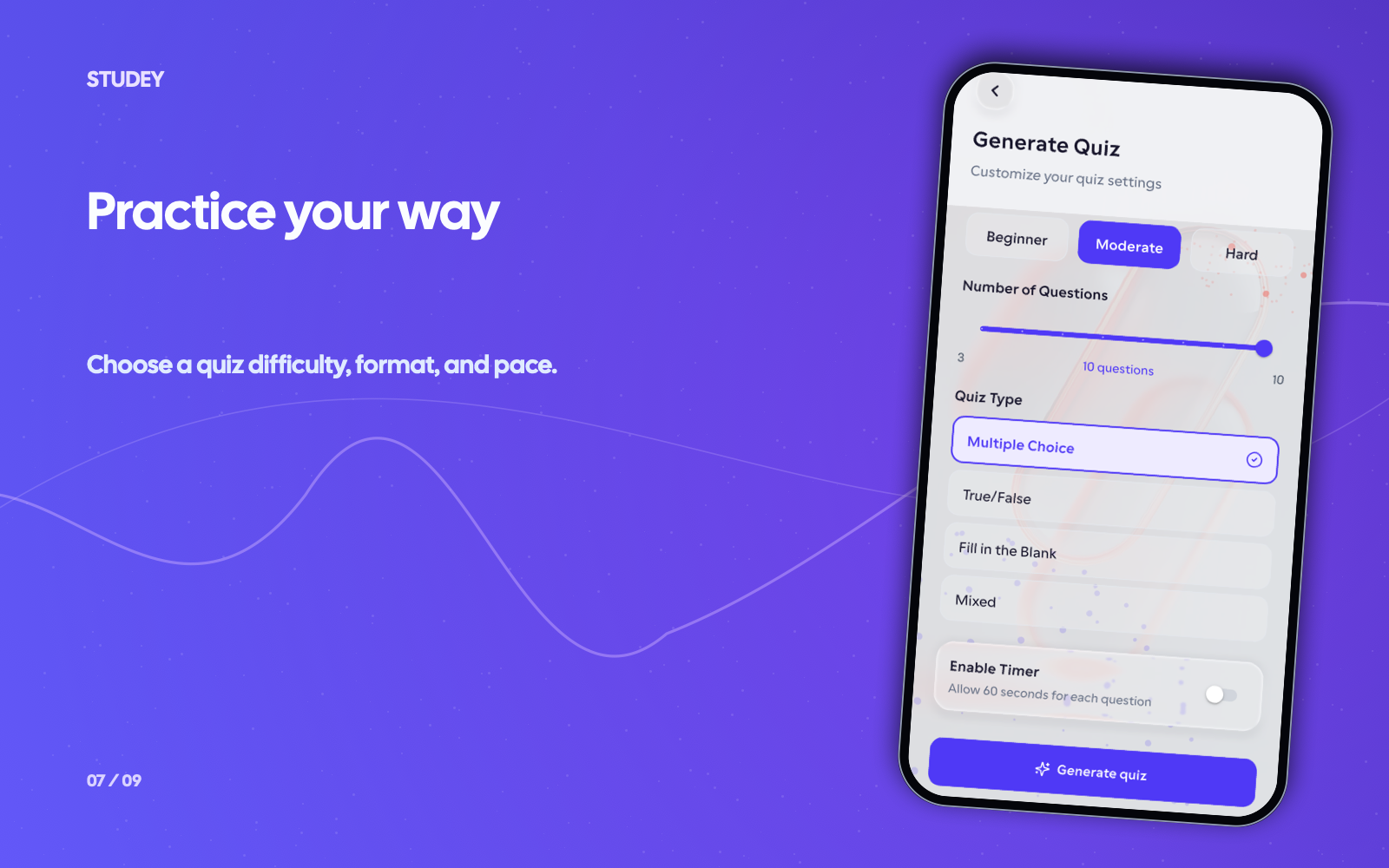
Use your notes for a timed or untimed practice test
Confirmed source text comes before generated questions.
- 1
Review your notes
Correct any handwriting transcript and confirm the text in every section before publishing.
- 2
Configure quiz difficulty and format
Create and process study material from your notes, then choose Easy, Moderate or Hard difficulty, question count and an optional per-question timer.
- 3
Review missed answers against the source
Take the quiz without your notebook. Read the explanation for every missed question and revisit the exact section in your study guide.
Worked example
From source material to study outputs
Illustrative walkthrough showing how a single passage or topic flows into Studey’s study tools.
Reviewed Notebook Section — Computer Networks: TCP 3-Way Handshake
“To establish a reliable connection, the client sends SYN(seq=x). The server replies with SYN-ACK(seq=y, ack=x+1). The client completes the handshake by sending ACK(ack=y+1).”
In the app, your original source stays open alongside generated study tools so you can verify terms, formulas and conditions.
Generated Quiz Question (Moderate)
If a client initiates a TCP handshake with sequence number x = 400, what acknowledgment number must the server include in its SYN-ACK segment?
Options & Correct Answer
A) ack = 400 • B) ack = 401 (Correct) • C) ack = y + 1 • D) ack = 0
Answer Explanation
Correct: B (ack = 401). According to your note, the server acknowledges the client’s SYN by returning ack = x + 1 (400 + 1 = 401) alongside its own initial sequence number y.
Examples of what you can study
Use your course readings, work guides or personal notes. Here are a few examples.
Review after class
Use a 5-question untimed quiz to check recall of the ideas in today’s notes right after a lecture.
Simulate exam pressure
Switch to Moderate or Hard difficulty with a per-question timer on Studey Pro to find which sections still trip you up under time pressure.
Tools you can use with this source
Ask the tutor for an explanation or choose a tool to review what you’ve learned.
Note taking
Handwrite with an Apple Pencil or stylus, or type structured notes in Studey. Confirm handwriting transcripts and turn published versions into cited AI explanations, flashcards and quizzes.
Explore featureAI companion
Ask questions about your processed notes, PDFs, slides and documents. Verify answers with inline numbered citations, verbatim source excerpts and one-tap PDF page jumps.
Explore featureFlashcards
Create flashcards from reviewed notes, PDFs, slides and documents. Answer before flipping, self-grade recall and launch targeted rounds for missed cards.
Explore featureQuiz generator
Generate practice quizzes from reviewed notes, PDFs, slides and documents. Choose Easy, Moderate or Hard difficulty, question counts, timers and detailed answer explanations.
Explore featureQuestions about notes to quizzes
- Can AI create multiple-choice questions from notes?
- Yes. After you publish and process reviewed notes, the quiz tool can generate practice questions with answer options and explanations.
- Is this an official exam or marked homework?
- No. These are AI-generated practice questions. They do not predict an exam, certify mastery or replace your teacher’s assessment.
- Can I make a quiz from handwritten equations?
- Check the transcript carefully before generating a quiz. Handwriting recognition can misread symbols or mathematical notation. Correct the text and compare generated questions with your original working.
Try the learning journey.
Take a sample quiz, flip a flashcard or try the simulated tutor chat.