
iOS & Android • Basic $0 & Studey Pro plans
Your AI companion for learning.
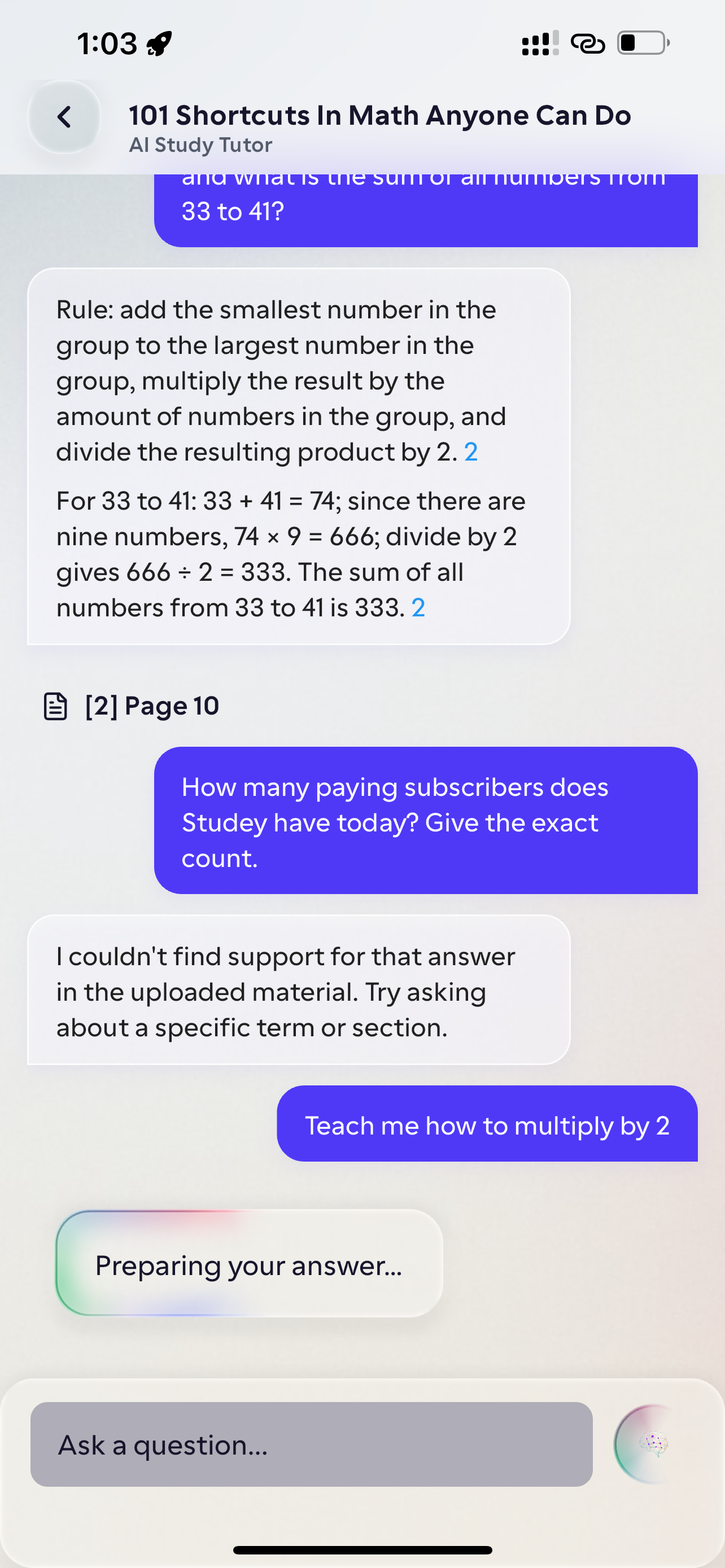
Upload PDFs, lecture slides or Apple Pencil notes. Studey builds a chapter roadmap, answers questions with one-tap PDF page citations, generates flashcards and quizzes, and locks out distractions with a printable QR key.
Join the waitlist for a launch email. Homework helper and animated lessons are in private testing; app blocking depends on device permissions.
Meet your study guide.
Open the guide for features, the learning journey and early access.
Why learners switch to Studey
Built for verifiable understanding, not generic AI summaries.
Every tool stays anchored to your actual course material—combining page citations, chapter roadmaps, verified handwriting transcripts, and physical QR focus lock.
Cited AI companion & one-tap PDF page jump
Ask questions directly against your PDFs, slides, or notes. Studey answers with inline citations and jumps straight to the exact PDF page in one tap.
“Oxidative phosphorylation produces ATP across the inner mitochondrial membrane using the proton-motive force [1] driven by NADH and FADH₂ electron transport [2].”
Automated chapter roadmaps & LaTeX study notes
Deconstruct textbooks and lecture slides into structured chapter roadmaps with verified formulas, LaTeX math, 4 reading themes, and topic practice.
det(A - λI) = 0 • Av = λvPrepare practice (4 Qs) →Apple Pencil & typed notebooks with transcript review
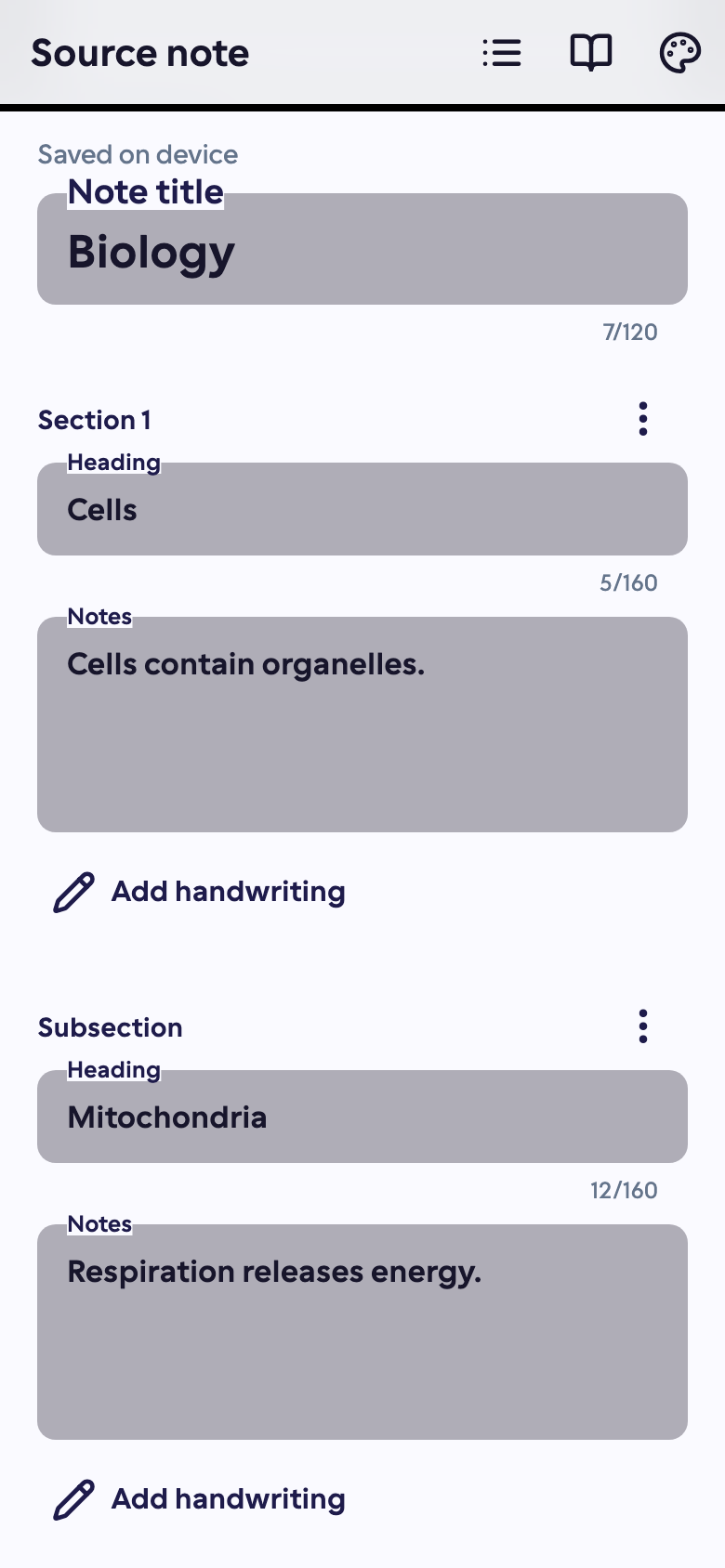
Handwrite with Apple Pencil or type freely. Smart touch rejection lets your finger scroll without stray marks, while transcript review keeps your notes accurate.
SHA-256 sourceRevision flags when flashcards or quizzes are older than your latest note edits.
Focus timer & printable physical QR lock
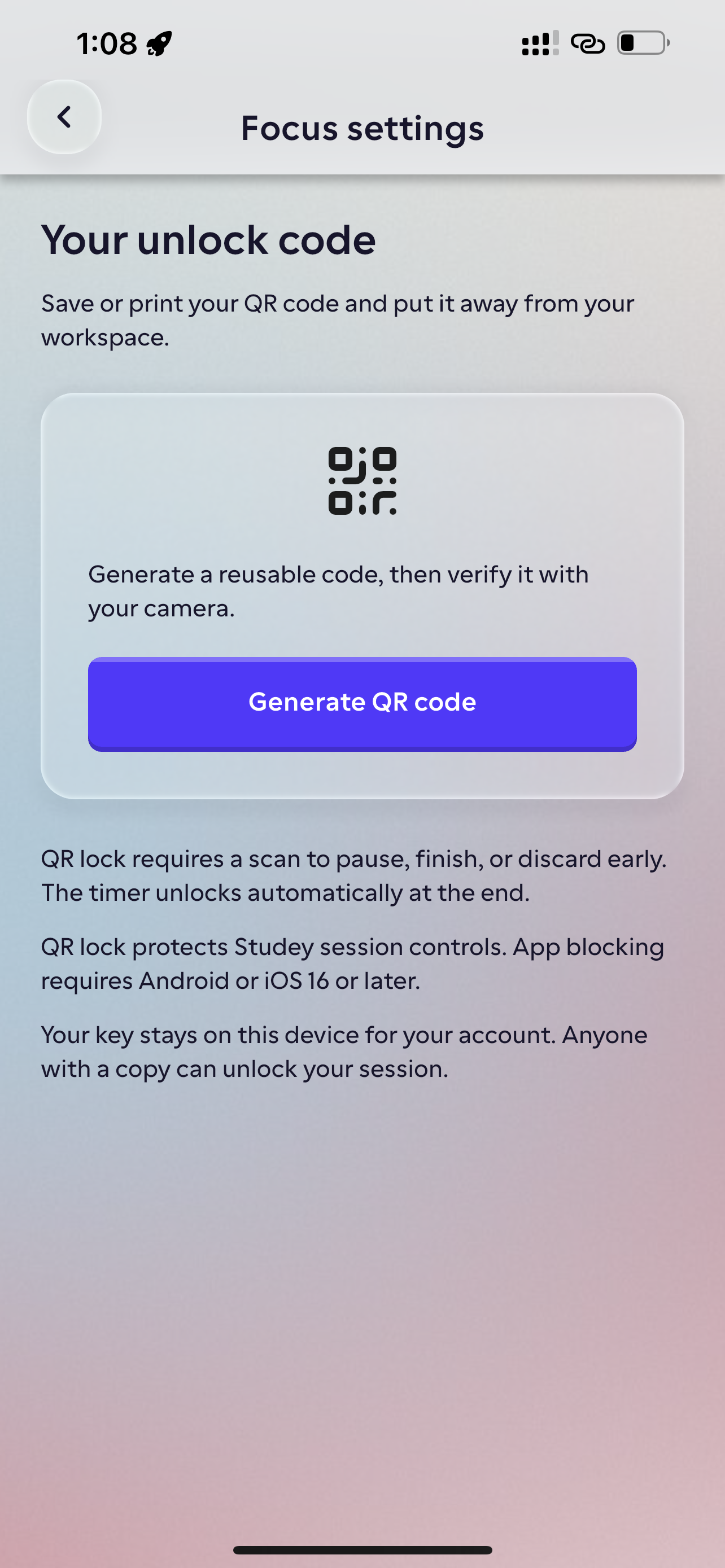
Block distracting apps on your phone during study sessions. Enforce real accountability by requiring a physical QR key from another room to unlock early.
Uses Android Accessibility or iOS 16+ Screen Time permissions. Background notifications are not silenced.
Flashcards & missed-card rounds
Active-recall decks generated from your source. Grade cards and retry only what you missed.
Configurable practice quizzes
Test your knowledge with 3 difficulty levels, optional timers, and source-grounded answers.
Step-by-step homework helper
Snap or type a problem, clarify ambiguous details, and follow step-by-step worked solutions.
Short daily microlearning
Turn any curiosity into a 3-lesson visual micro-course with saved daily progress.
Real app screens
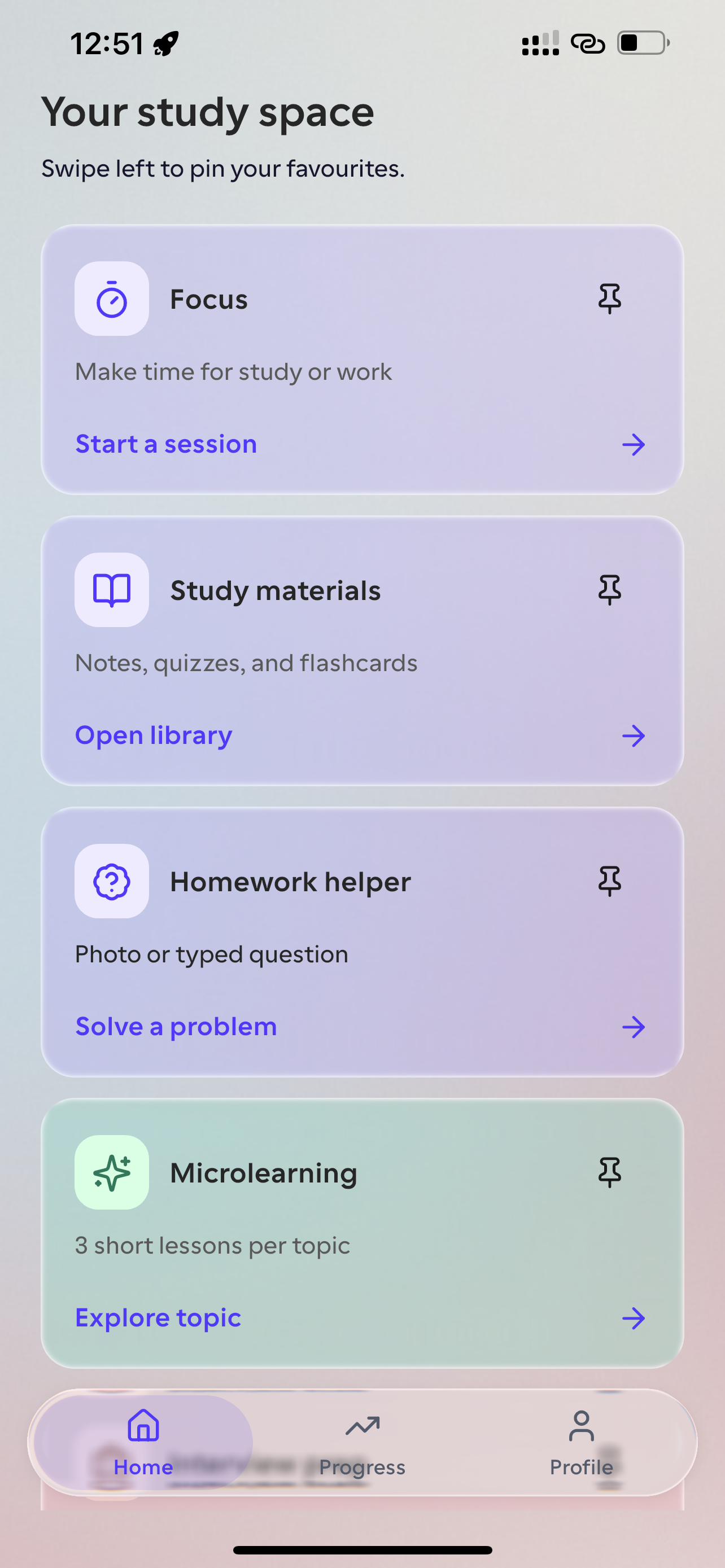
Explore the native app interface
Studey brings notes, cited explanations, active recall, microlearning and Focus into a single Flutter app for mobile and tablet.
One workspace for your PDFs, handwritten notes, practice and focus
Instead of juggling separate apps for PDF reading, Apple Pencil note-taking, flashcards, quizzes and phone blocking, Studey connects every step around the exact same source material.
Explore learning toolsInteractive Walkthrough
Try the study flow yourself.
Follow one sample excerpt from notebook handwriting to an inline-cited explanation, active-recall quiz, and timed focus session.
Interactive website preview with prewritten examples and a local timer. Nothing is uploaded or saved to an app account.
Review the notes transcript
Handwrite with Apple Pencil or type freely. Smart touch rejection keeps finger scrolling separate from ink. Review the transcript below to generate cited explanations and flashcards.
You can jump between preview steps. In the app, confirm the transcript before publishing study material.
See the native note editor
In Studey, return to your saved lessons, flashcard rounds and Focus history. Your study streak records activity; XP levels are planned.
See progress trackingDaily bite-sized habits
Learn something new every day.
Pick any question, hobby, or class topic. Studey generates a visual 3-lesson micro-course you can finish in 5-minute daily breaks.
Start with any topic
Type what you want to learn. Studey breaks it down into three focused lessons.
Visual explanations
Read illustrated breakdowns and replay complex stages at your own pace.
Build your daily streak
Block distracting apps during Focus sessions, save your spot, and keep your streak alive.
Animated lessons are currently in a private pilot. Illustrated lessons remain supported.
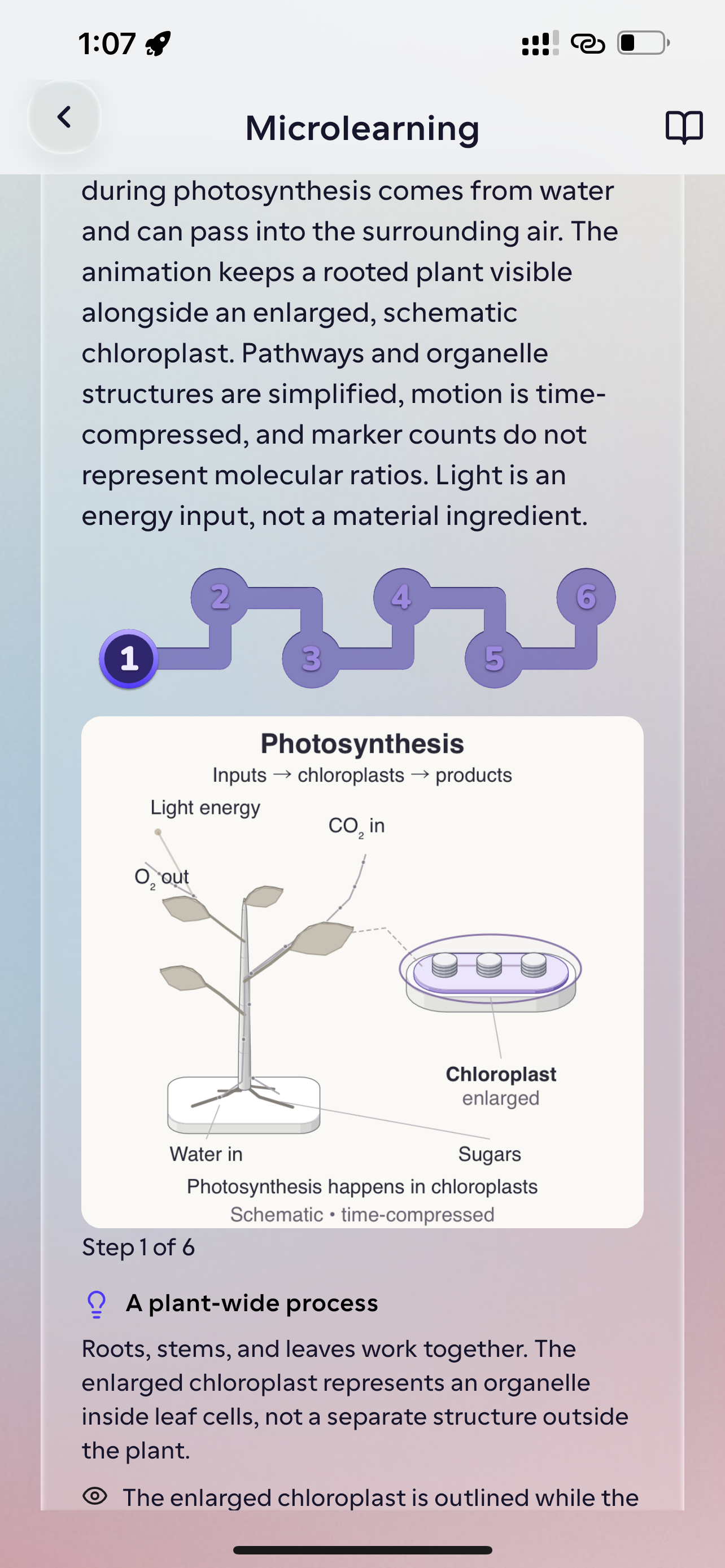
Follow the lessons in order and return to where you left off.
- Lesson 1: Start with the main idea
- Lesson 2: Work through an explanation
- Lesson 3: Bring the ideas together
Start with your own materials
Upload PDFs, PPTX lecture slides, DOCX files, web links, YouTube tutorials, or handwritten notebooks—then ask source-cited questions, generate chapter roadmaps, or test your recall with flashcards and quizzes.
No file to upload? Choose a topic and start with a short lesson.
Learn a new skillHabit & retention
A streak you can build. Progress you can revisit.
Give yourself a clear reason to return: another lesson finished, another missed-card round cleared, another Focus session completed without distractions.
See your daily study streak, saved course progress and Focus session history. Mark flashcards correct or incorrect, then challenge yourself with another round of the cards you missed.
See progress trackingIllustrative progress overview
Synced to account- Daily study streak
- 7 days
- Saved course progress
- Lesson 2 of 3
- Completed Focus session
- 25 minutes
Active study days
Goal & duration logged
XP and levels are planned. Current progress comes from your study streak, saved lessons, practice and completed Focus sessions.
Free Basic plan. Upgrade when you need more.
Start studying immediately on the Basic plan. Upgrade to Studey Pro for higher upload limits, unlimited AI tutor questions, and deeper document processing.
Basic
Starter allowanceEssential tools for studying from notes, PDFs, and daily topics.
Free access • No credit card required
What’s included:
- Up to 5 lifetime material uploads (PDF, DOCX, PPTX, Markdown)
- Built-in PDF reader with original-source verification
- 5-question Easy untimed practice quizzes
- Preview first 5 flashcards & first 5 memory aids per material
- Focus timer, supported-device app blocking & printable QR lock
- Daily study streak & completed session tracking
- 250,000 shared monthly AI token equivalents
Studey Pro
Unlimited study flowMaximum processing limits, unlimited AI tutor questions, and priority pilot access.
$6.67/month equivalent • Save $39.89 (33%) vs. monthly • $3.99/week option available
What’s included:
- All generated flashcards & memory aids viewable (plus missed-card rounds)
- Moderate & Hard quiz modes, larger question sets & per-question timers
- AI Companion chat with inline citations & one-tap PDF page jumps
- Handwritten (Apple Pencil/stylus) & typed notebooks with transcript review
- Automated Chapter → Topic Study Roadmaps & interactive Mind Maps
- Daily Microlearning courses & CV/JD Interview Preparation workspaces
- Optional on-device offline AI model & 2,000,000 monthly AI token equivalents
Planned US reference prices for the mobile app launch; local App Store and Google Play prices appear in the app before purchase. AI generation and material processing use shared monthly token allowances.
Common questions
Frequently asked questions
Everything you need to know about Studey’s notes, citations, offline models, and privacy.
Request early access to Studey.
Join the waitlist for mobile and desktop. We’ll send one email when Studey launches.
- Practice questions from your materials
- Flashcards to test your memory
- Short lessons, study streaks and Focus
Early access updates